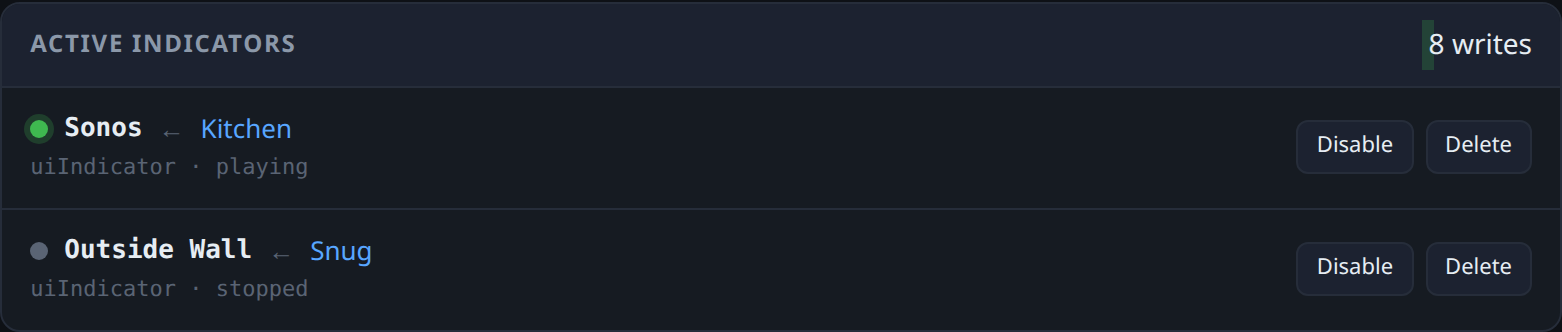
When we had the house rewired we ended up with more dimmer channels than lights. A couple of them are wired to nothing at all - one on the kitchen dimmer where a light used to be, another in the dining area. They look identical to the working ones. They just do not do anything when you press them.
That bothered me more than it should have. A wall switch is the best interface in the house. It is always in the same place, it works in the dark, you do not have to find your phone or say a wake word at it, and everybody already knows how to use one. Having two of them doing nothing felt like a waste.
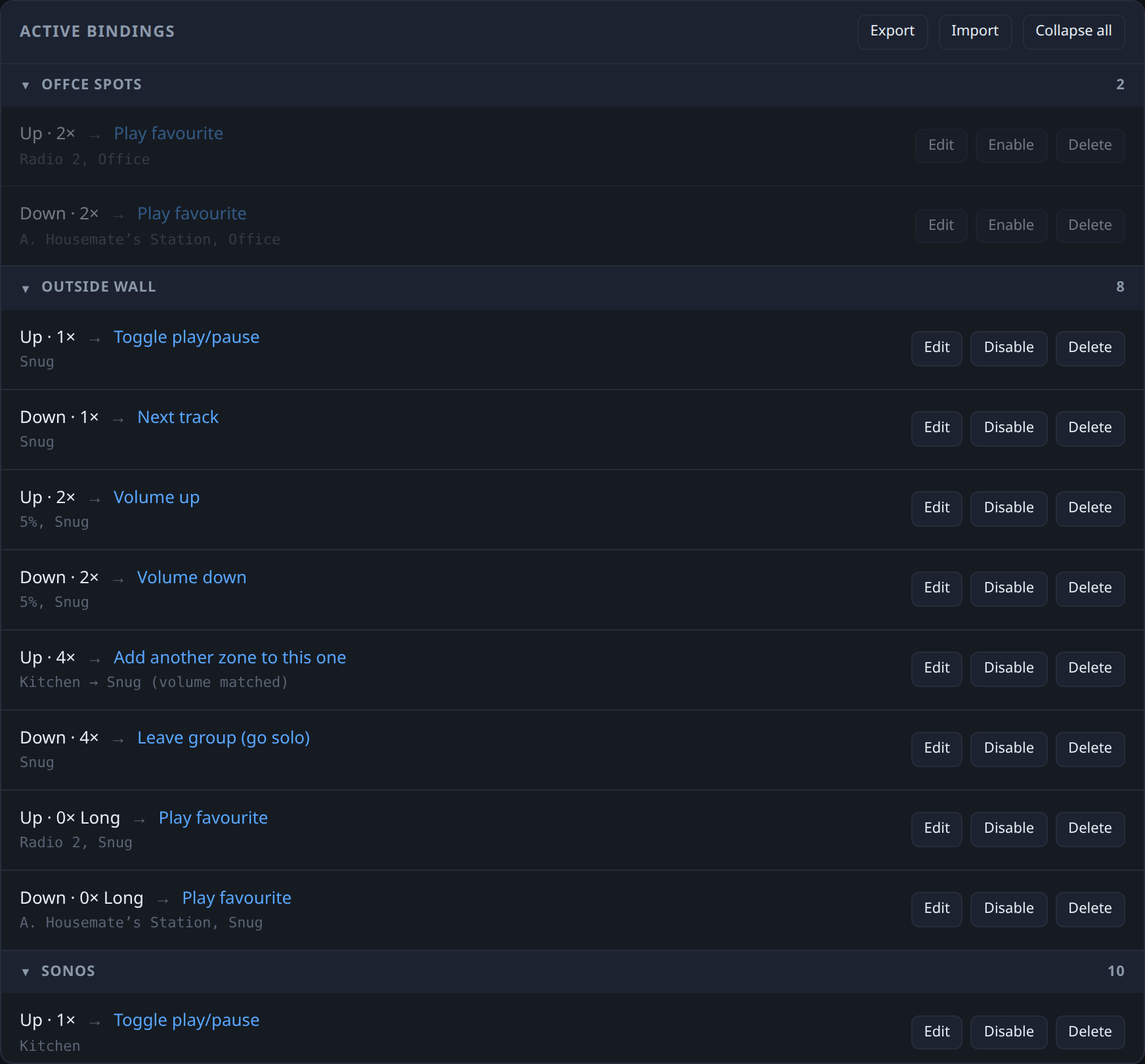
Lightwave and Sonos both have integrations, and on paper you should be able to wire one to the other. In practice I could not get it to do what I wanted, which was quite specific - press once to pause the kitchen, hold to put Radio 2 on, double press to nudge the volume, four presses to pull the snug speaker into the same group. The official routes gave me a fraction of that, unreliably, and no way to tell what had gone wrong when it did not fire.
So I built my own bridge. It runs in Docker on my Homelab, and talks to the LightwaveRF public API on one side and a small local Sonos API I had already built on the other.
Bindings
The core of it is dull in the best way. You click capture, go and press a switch, and the app fills in which dimmer channel it was, whether you pressed the top or the bottom of the rocker, and how many times. Then you pick a Sonos zone and an action and save it.
I did not decode the button presses myself, and I am glad. Lightwave packs a press into a single sixteen bit number on its uiButton and uiButtonPair features, and its own Python library already has a decoder for it, so a long press and a long release mean the same thing here as they do everywhere else in the ecosystem.
Two things caught me out:
- Webhooks only fire when a value changes. Press the same button the same way twice and the second press sends nothing at all. The thing that exists to tell you a button was pressed cannot tell you it was pressed twice. The historical data endpoint records every press with a timestamp, so that became the source of truth, and the webhook was demoted to a hint that wakes the poller early.
- Sonos zone IDs are positional. They are an index into the current list of groups, so joining two rooms renumbers every other zone underneath you. Store one in a binding and it will eventually point at the wrong room. Everything resolves zones by name, fresh, immediately before use.
Timers
Once presses worked, the obvious gap was things that should happen on their own. The kitchen gets left loud, and Sonos night mode wants turning on before we are up, and off again once we are.
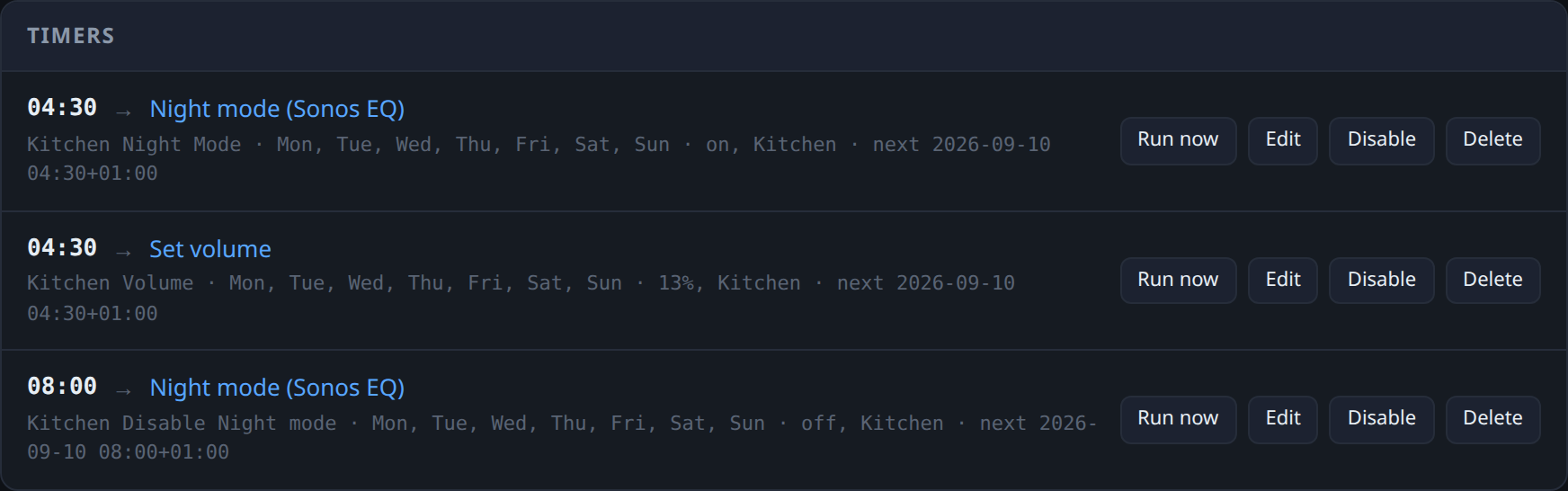
There is also a night window with a volume ceiling, so that nothing - a press or a timer - can set a zone loud after dark.
Indicators
Then the spare channels. If a channel controls no light, its LED is free, and it can tell you something instead. Point it at a Sonos zone: lit while that zone is playing, dark when it is paused.
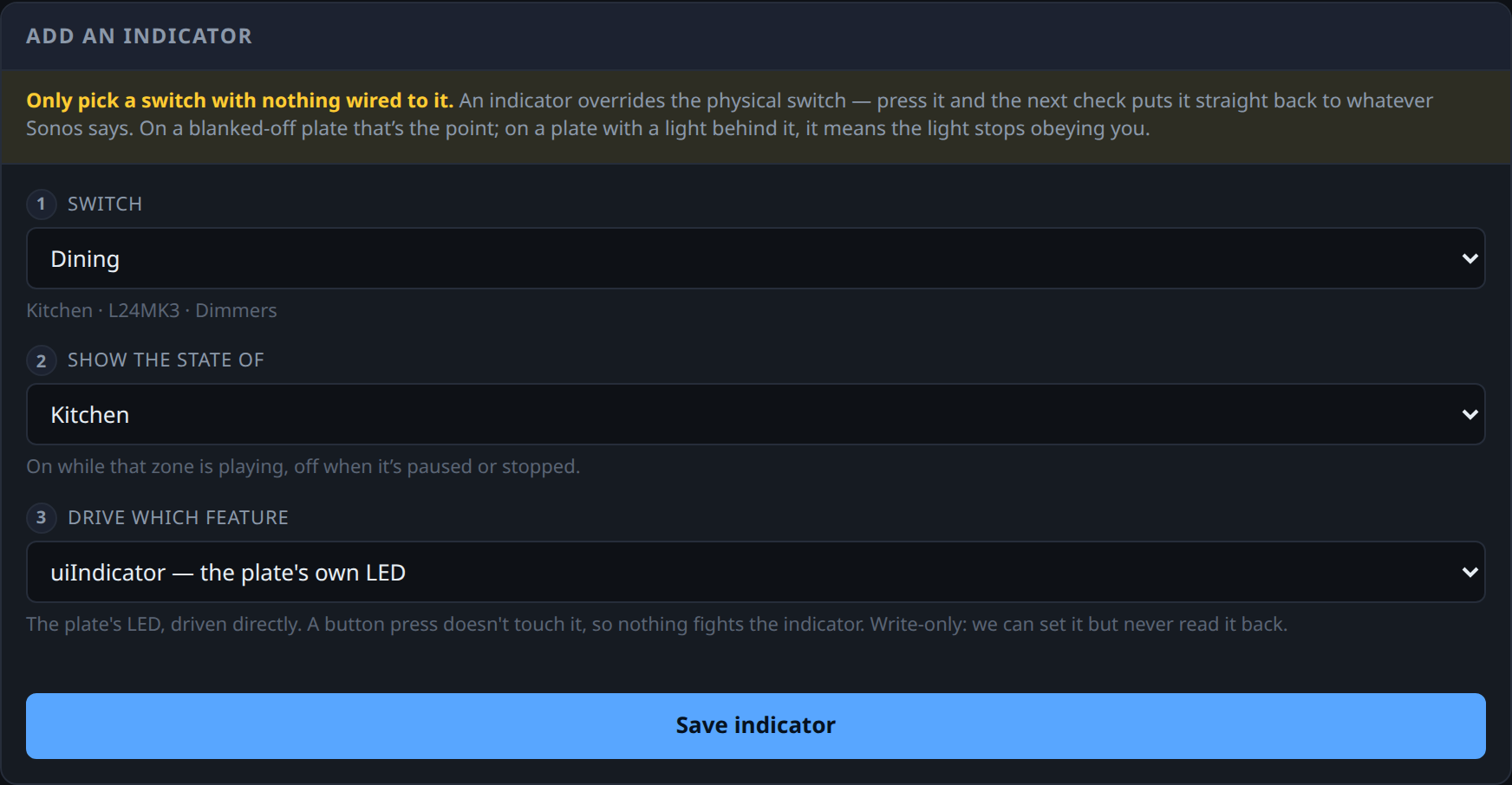
It took three goes:
- Drive the dimmer output. Play was instant, pause took a second and looked wrong. The channel was switching itself on locally, in hardware, before anything reached the network - so play only looked fast because the hardware did it, and pause was my code turning up late to argue with it.
- Write the light on the press, before calling Sonos. Acknowledgement matters more than accuracy here. You press, you see that you were heard, and a wrong guess quietly corrects itself.
- Drive
uiIndicatorinstead. That is the LED itself, and the button never touches it. Nothing to fight, no blip.
On these dimmers, an L24MK3, uiIndicator is write-only through the public API - writes take effect, reads always come back zero - so my first test looked like a dead end and I nearly gave up on it. What saved it was that I was standing in the kitchen at the time, watching the actual dimmer, and it was quite clearly changing colour.
The API told me nothing was happening. The wall told me something was.
The switch now lights when the kitchen is playing, and changes within a few hundred milliseconds of a press.
It also works when I have not touched the switch at all. Pause from the Sonos app on my phone, or from another room, and the switch follows a second later. No button was pressed, so nothing announces it and there is nothing to react to - the light only changes because something is quietly checking whether the world still looks the way it did a second ago. That dull loop is the whole reason the switch is ever right.
What it is
A small app in Docker on my homelab. It watches the Lightwave API and acts on what it sees, and three things sit on top of that:
- Actions. A press on a dimmer channel fires a Sonos action - play, pause, volume, a favourite, or pulling another room into the group.
- Timers. The same actions, on a clock rather than a press.
- Indicators. The reverse direction - a spare channel’s LED showing what a zone is doing.
I built the whole thing with Claude Code, which is the only reason it took a weekend rather than a month - two APIs that were never designed to talk to each other, and a lot of poking at undocumented corners to work out what they would actually do.